
GRAPHIC DESIGN
PRINT & DIGITAL
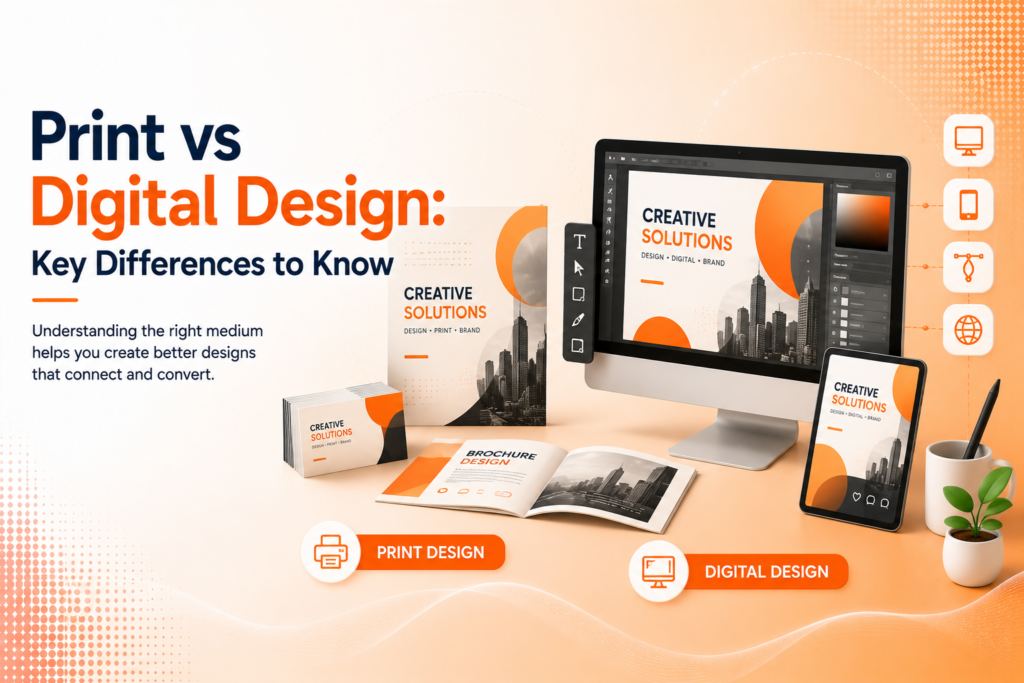
Print vs Digital Design: Key Differences to Know
The same brand, two different mediums here’s what actually changes when design moves from screen to paper, and why it matters.
Why Print and Digital Design Aren't Interchangeable
Print vs digital design gets treated as a minor technical distinction by many businesses, but the two mediums operate under genuinely different rules color reproduction, resolution requirements, and even how people consume content differ enough that a design built for one rarely transfers perfectly to the other without adjustment.
Graphic design for print requires accounting for physical constraints that simply don’t exist digitally ink behaves differently than pixels, paper stock affects final appearance, and there’s no opportunity to fix a color mismatch after thousands of copies have already been printed. Digital design, by contrast, offers more flexibility but introduces its own considerations around screen variability and interactivity.
The Building Blocks of Each Medium
Print design and digital design share design fundamentals but diverge significantly in their technical requirements and practical constraints.
- Color mode: CMYK for print, RGB for digital screens
- Resolution: high-res 300 DPI for print, optimized lower resolution for web
- Fixed final output for print vs adaptable, responsive digital layouts
- No interactivity in print vs clickable, animated digital elements
- One-time production cost for print vs easily revisable digital files
Understanding these differences prevents costly mistakes, like a beautifully designed digital graphic printing with dull, inaccurate colors.
Ready for design that translates correctly across every medium?
Understanding CMYK vs RGB
One of the most technically important print design tips is understanding color modes correctly. Digital screens display color using RGB (red, green, blue light), producing vibrant, luminous colors. Printers use CMYK (cyan, magenta, yellow, black) ink, which physically mixes pigments and simply cannot reproduce the same vibrant range RGB screens display.
Designing in RGB and sending it directly to print without converting to CMYK is one of the most common, costly mistakes businesses make colors that looked bright and accurate on screen often print noticeably duller or shifted, sometimes significantly enough to damage brand consistency across printed materials.
💡
Tip
Always request a physical print proof before a large print run. Screen previews, even in CMYK mode, still can't perfectly predict how ink will actually appear on specific paper stock.
Resolution and File Preparation Differences
Print design requires significantly higher resolution than digital — typically 300 DPI (dots per inch) to avoid pixelation or blurriness when viewed up close on physical paper. Digital design tips generally call for much lower resolution, often 72-150 DPI, since screens display images differently and unnecessarily high resolution just increases file size and slows page loading.
Print files also require accounting for bleed extending design elements slightly beyond the final trim line to avoid unwanted white edges after cutting. Digital design has no equivalent physical trimming process, making this consideration entirely unique to preparing files for print production.
300 DPI
Standard resolution requirement for professional print materials
72–150 DPI
Typical resolution range sufficient for digital screens
56%
Of consumers say print materials feel more trustworthy than digital ads
Layout Flexibility: Fixed vs Responsive
A fundamental difference in print vs digital design is how layouts behave. Print design produces one fixed final output the exact dimensions and layout printed remain unchanged once produced. Digital design, particularly for websites, needs to work responsively across an enormous range of screen sizes, from small phones to large desktop monitors.
This means digital designers must consider how a layout reflows and adapts, while print designers focus entirely on perfecting one specific, unchangeable final composition. Neither approach is more difficult inherently they simply require entirely different design thinking and technical skill sets.
When to Prioritize Print vs Digital
Despite digital’s dominance in marketing budgets, print retains genuine advantages in specific contexts business cards, physical retail packaging, and certain high-end brand materials where tactile quality communicates something screens simply cannot replicate. Print materials also tend to feel more permanent and trustworthy to some audiences, particularly in professional or luxury contexts.
Digital design offers advantages in reach, cost-effectiveness, and the ability to revise instantly without reprinting costs. Most brands genuinely benefit from thoughtfully using both mediums, applying each where it plays to its actual strengths rather than defaulting entirely to one or the other.
Print and digital aren't competing mediums they're different tools that require understanding their own rules before either one can work well
Common Print vs Digital Design Mistakes to Avoid
Even experienced designers fall into familiar traps: sending RGB files directly to print without conversion, forgetting bleed requirements on print materials, or using low-resolution web images in print materials where they’ll appear noticeably pixelated.
The fix isn’t avoiding one medium it’s understanding both correctly. Designing specifically for each medium’s technical requirements consistently produces better results than assuming a direct, unadjusted transfer between the two.
How IWS Solutions Can Help
Our team handles both graphic design for print and digital design projects, ensuring your brand translates accurately and consistently whether it’s appearing on a business card or a website.