
CMS
WEB DEVELOPMENT
How to Choose the Right CMS for Your Business
With dozens of platforms available, picking the right content management system shapes how easily you’ll manage your website for years to come.
Why Your CMS Choice Matters More Than It Seems
Choosing a content management system feels like a technical decision best left to developers, but it directly affects how independently your team can manage the website long after launch. The right CMS for small business means updating content, adding pages, and publishing blog posts without waiting on a developer for every small change.
Get this decision wrong, and businesses often find themselves locked into a CMS platform that’s either too limited to grow with them or too complex for their team to actually use confidently. Both scenarios lead to the same outcome a website that quietly falls behind because updating it feels like more trouble than it’s worth.
The Building Blocks of the Right CMS Decision
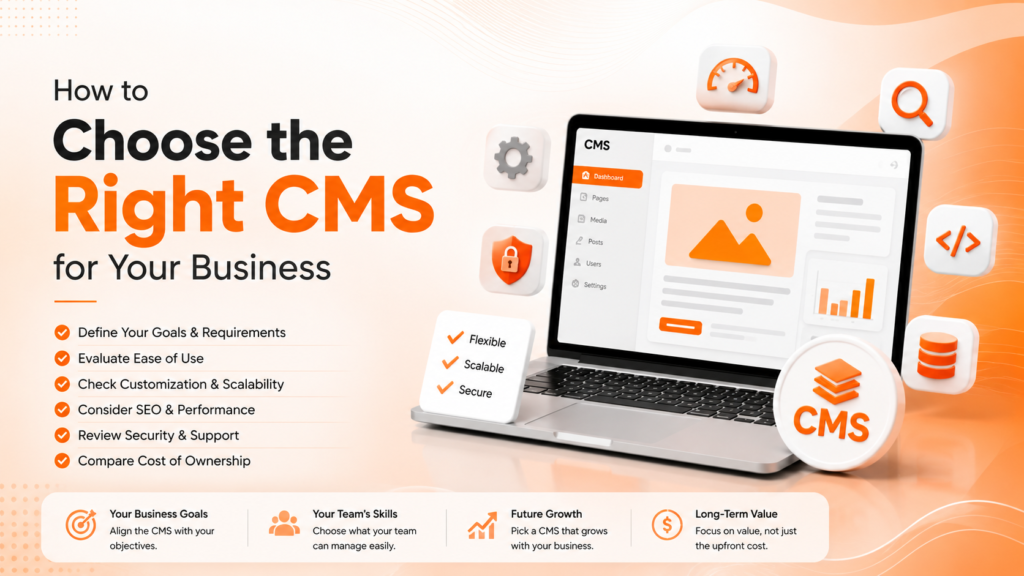
Choosing the right CMS isn’t one factor it’s a combination of practical considerations that together determine whether the platform will genuinely serve your business.
- Ease of use for non-technical team members
- Scalability as your content and traffic grow
- Available plugins, integrations, and customization options
- SEO-friendliness built into the platform
- Total cost, including hosting, plugins, and maintenance
When these factors are weighed together, the “best” CMS becomes less about popularity and more about genuine fit for your specific business.
Ready for a CMS platform that actually fits your business?
WordPress CMS: Why It Remains the Most Popular Choice
WordPress CMS powers a significant share of websites globally, and for good reason — it balances ease of use with deep customization, backed by a massive plugin ecosystem covering everything from SEO to eCommerce. For most small and mid-sized businesses, WordPress remains the most practical starting point precisely because of this flexibility.
That popularity also means extensive community support, frequent updates, and no shortage of developers familiar with the platform if custom work is ever needed. This reduces long-term risk compared to niche platforms with smaller support communities and fewer available resources when something needs fixing.
💡
Tip
Before choosing a CMS platform, have your actual team try creating a sample page in the admin panel. A platform that seems simple to developers can still feel confusing to the staff who'll use it daily.
Comparing CMS Platforms Beyond WordPress
While WordPress dominates, it isn’t the only strong option. Platforms like Webflow offer more design flexibility with less coding knowledge required, appealing to businesses wanting tighter visual control without a developer for every layout change. Shopify remains the strongest dedicated option for eCommerce-focused businesses specifically.
A proper CMS comparison should weigh these alternatives against your actual use case rather than defaulting to whichever platform is most talked about. A content-heavy publisher has different needs than a service business with five static pages, and the “best” platform genuinely differs based on that distinction.
43%
Of all websites globally run on WordPress
35%
Lower total cost of ownership with open-source vs proprietary CMS platforms
60%
Of businesses cite ease of use as their top CMS priority
Headless CMS: When It Makes Sense
A headless CMS separates content management from the front-end presentation layer, giving developers more flexibility to build custom interfaces while content teams still manage everything through a familiar admin panel. This approach has grown popular for businesses needing content across multiple platforms website, app, and digital displays from a single content source.
This isn’t the right choice for every business, though. A headless CMS typically requires more development resources to build and maintain the front end, making it better suited to larger organizations with dedicated technical teams rather than a small business needing a straightforward, self-manageable website.
Matching CMS Choice to Business Size and Goals
The right CMS for small business usually prioritizes simplicity and lower ongoing cost over advanced customization most small teams won’t fully use anyway. A five-page service business website has very different requirements than a growing eCommerce store or a content publisher adding new articles daily.
Growth plans matter here too. Choosing a platform that can scale adding eCommerce functionality, multilingual support, or more complex integrations later avoids a costly, disruptive platform migration once the business has genuinely outgrown its original CMS choice.
The best CMS isn't the most powerful one it's the one your team will actually use confidently, week after week, without needing a developer for every update.
Common CMS Selection Mistakes to Avoid
Even well-intentioned businesses fall into familiar traps: choosing a platform based on developer preference alone without considering who’ll manage content daily, underestimating future scalability needs, or picking the cheapest option without accounting for plugin and maintenance costs over time.
The fix isn’t chasing the most feature-rich platform it’s honestly matching the CMS to your team’s technical comfort and your business’s actual growth trajectory.
How IWS Solutions Can Help
Our team helps businesses choose and implement the right CMS platform for their specific needs, from WordPress builds to more custom solutions, ensuring your website stays easy to manage long after launch.