
SEO
GOOGLE SEARCH CONSOLE
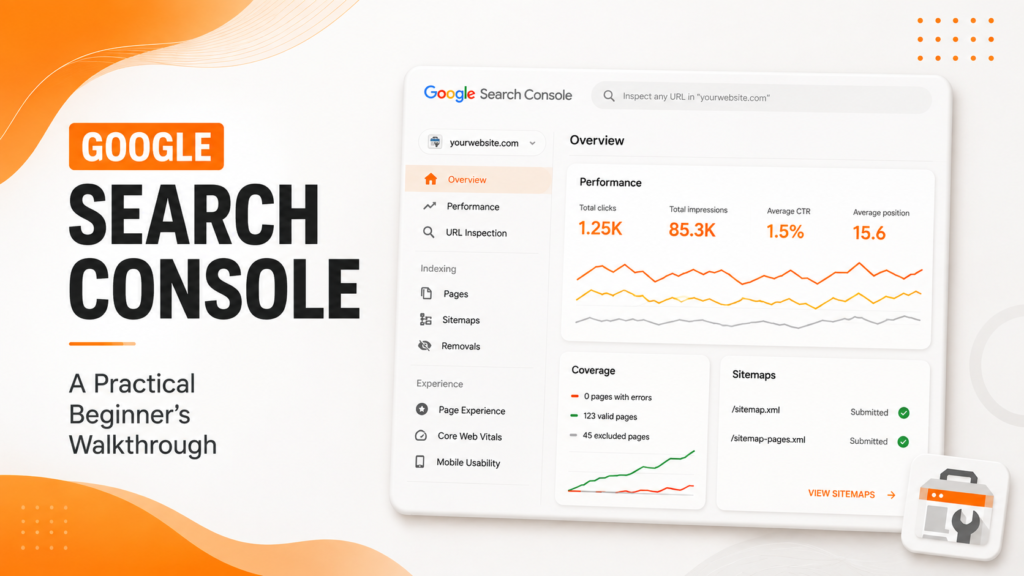
Google Search Console A Practical Beginner's Walkthrough
A free tool that shows exactly how Google sees your site here’s how to actually use it, not just have it installed.
Why This Free Tool Deserves Genuine Attention
Google Search Console provides direct insight into how Google’s crawler and search algorithm actually perceive your website which pages are indexed, what search queries drive traffic, and what technical issues might be quietly limiting performance. Search Console for beginners often feels overwhelming at first glance, but understanding just a handful of core reports delivers genuine, actionable value quickly.
How to use Google Search Console effectively starts with recognizing it’s not just a passive dashboard to glance at occasionally it’s an active diagnostic tool revealing genuine opportunities and problems that would otherwise remain invisible, information no other free tool provides with the same direct accuracy from Google itself.
The Building Blocks of Using Search Console Effectively
Google Search Console setup and ongoing use centers around a handful of core reports that together reveal both opportunities and issues worth addressing.
- Performance report showing genuine search query and click data
- Coverage report revealing indexing status and errors
- Core Web Vitals report highlighting page experience issues
- Sitemap submission ensuring efficient content discovery
- Manual actions and security issue monitoring
When these core areas are regularly reviewed, Search Console becomes a genuinely valuable ongoing diagnostic tool rather than a forgotten, unused dashboard.
Ready to understand exactly how Google sees your website?
Getting Started: Verification and Setup
Google Search Console setup begins with verifying ownership of your website, typically through adding a specific HTML tag to your site’s code, uploading a verification file, or through your domain registrar directly. Most modern website platforms and CMS systems have simplified this process significantly, often supporting verification through simple plugin integration.
Once verified, submitting an XML sitemap immediately helps Google discover your site’s pages more efficiently, rather than relying purely on organic crawling to eventually find every page. This simple, one-time setup step meaningfully accelerates how quickly new or updated content gets discovered and potentially indexed going forward.
💡
Tip
After initial setup, check back weekly rather than daily during your first month. This cadence gives genuine time for data patterns to develop, rather than reacting to normal day-to-day fluctuations that don't yet reflect meaningful trends.
Understanding the Performance Report
The Performance report represents Search Console’s most frequently used feature, showing exactly which search queries drive impressions and clicks to your site, along with average position and click-through rate data. GSC tutorial guidance consistently emphasizes this report as the starting point for understanding genuine search visibility and identifying content opportunities.
Filtering this data by specific pages reveals which content genuinely performs well versus which might need improvement, while filtering by query reveals exactly what search terms are actually bringing visitors to your site sometimes surfacing genuinely surprising, unexpected keywords worth building additional content around.
Free
Cost of Google Search Console for any verified website
16 Months
Historical performance data retained and viewable
100%
Direct data source from Google itself, more accurate than third-party estimates
Monitoring the Coverage Report for Indexing Issues
Search Console reports explained through the Coverage (or Pages) report reveal exactly which pages Google has indexed successfully, and critically, which pages have errors preventing indexing entirely. This report frequently surfaces genuine technical issues accidentally noindexed pages, crawl errors, or redirect problems that might otherwise remain completely invisible without this direct visibility.
Regularly reviewing this report, rather than only checking it reactively after noticing a traffic problem, allows catching and resolving indexing issues proactively, often before they’ve meaningfully impacted overall search visibility or traffic in ways that become considerably harder to diagnose after the fact.
Using the URL Inspection Tool for Specific Pages
The URL Inspection tool allows checking the genuine, current indexing status of any specific page, along with requesting Google recrawl that page after making significant updates. This tool proves particularly valuable immediately after publishing new content or making significant changes to existing pages, allowing you to request faster discovery rather than waiting for Google’s natural crawling schedule.
This tool also reveals genuine technical details about how Google actually rendered and crawled that specific page, sometimes surfacing rendering issues invisible through normal browsing but genuinely affecting how search engines interpret and index that page’s actual content.
Search Console doesn't tell you what you want to hear it tells you exactly what Google actually sees, which is far more valuable for genuinely improving your SEO.
Common Search Console Mistakes to Avoid
Even SEO-conscious website owners fall into familiar traps: setting up Search Console once and never checking back regularly, ignoring Coverage report errors until traffic problems become obvious, or failing to submit an updated sitemap after significant site structure changes.
The fix isn’t checking obsessively every day it’s building a consistent, regular habit of reviewing key reports, catching genuine issues and opportunities before they compound into larger problems.
How IWS Solutions Can Help
Our team monitors and interprets Google Search Console data as part of ongoing SEO management, catching technical issues early and identifying genuine content opportunities the data reveals.